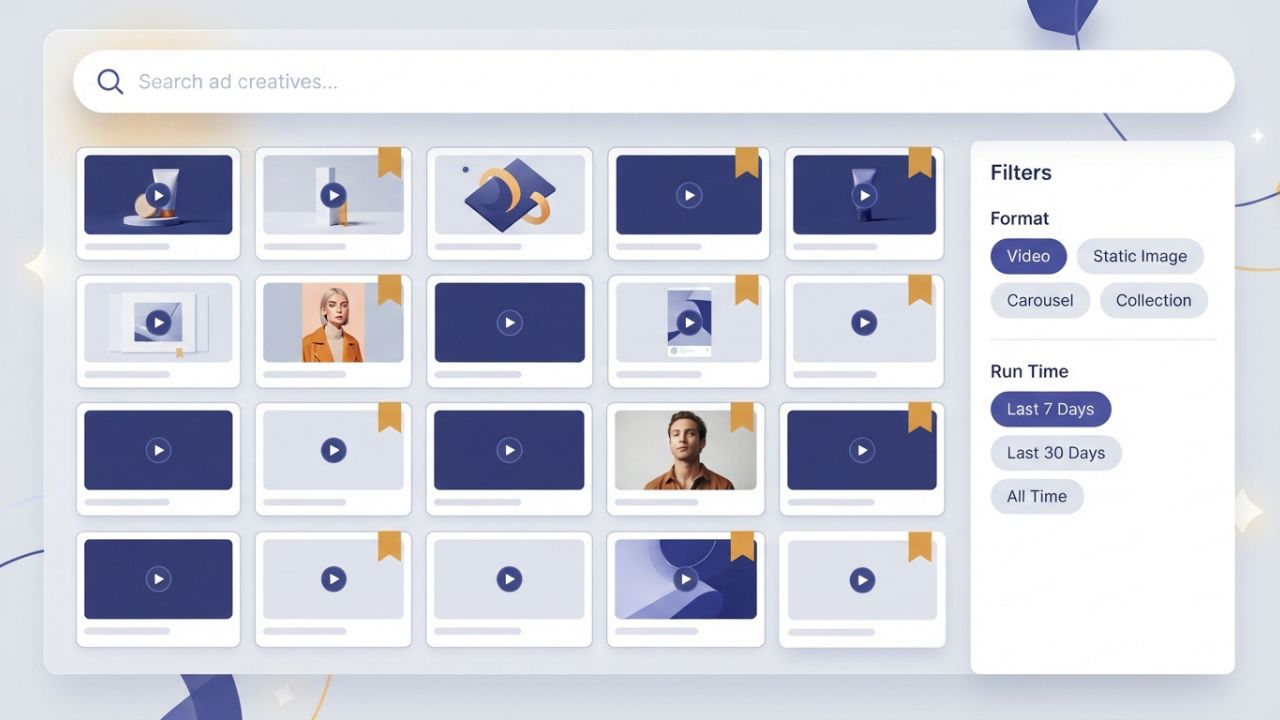
GetHookd for Media Buyers: What Works Beyond Ad Discovery
Media buyers rarely lack ideas. What they lack is time between spotting a competitor's winning ad and getting a tested response into the account. Most ad research tools stop at the browsing stage, leaving the buyer to copy notes into a doc, brief a designer, and wait. GetHookd takes a broader approach by pairing its ad library with tools for transcription, scripting, and cloning.
This review looks at how GetHookd holds up once you move past the search bar. We cover the research features, the creative tools, the AI assistant connection, and how the plans and credits work in practice, so you can judge whether it suits the way you run campaigns.
Why Ad Discovery Is Only the Starting Point
The foundation of GetHookd is its Explore Ads library, which holds over 22 million ads and lets you filter by performance, format, and run time. For a media buyer, those three filters matter because they separate ads that are merely live from ads that have earned their spend. An ad that has run for months in a proven format tells you more than a fresh upload, and the library is built around surfacing that difference. Saved ads stay available after they go offline, so a swipe file does not quietly empty itself as competitors rotate their creative. Brand Spy then lets you follow a specific advertiser and see what they are doing across the board.
What the Research Layer Covers
- Explore Ads: a library of over 22 million ads, filterable by performance, format, and run time
- Save Ads: a swipe file that keeps ads accessible after they go offline
- Brand Spy: competitor ads, landing pages, traffic sources, and launch frequency
- Ads Transcription: video ads converted into copy, hooks, and CTAs
Launch frequency inside Brand Spy deserves a closer look. Knowing how often a competitor ships new creative gives you a read on their testing pace, which is useful when you are deciding how many variations your own account should carry. Pairing that with landing page and traffic source data gives a fuller picture than a creative feed alone. Each Brand Spy report costs 8 credits per brand, so it works best as a deliberate check on the competitors that matter most to your niche, rather than something to run on every advertiser you come across.
Turning Winning Ads Into Working Creative
Research is only useful if it feeds production, and this is where GetHookd separates itself from a plain library. The platform generates ad scripts from a winning ad plus your own product details, creates static variations through Clone Ads, and produces UGC-style videos using AI avatars that act out scripts. For a buyer who briefs editors or freelancers every week, having a first draft ready from the same screen where the research happened removes a handoff that normally slows testing.
The Creative Toolkit
- Ads Transcription: turns a video ad into text so you can study its hook and call to action
- Video Scripts: builds a script from a winning ad and your product details
- Clone Ads: produces new static variations of an ad that is already working
- AI UGC video generator: AI avatars perform your scripts
- Static ad templates: over 100 templates that can be customized in Canva
The workflow reads naturally in sequence. You find a strong ad, transcribe it to see how the hook is built, generate a script adapted to your product, and then clone static versions for quick tests. Each step is a separate credit spend, which keeps costs visible rather than buried in a flat fee.
Credit costs are modest at the low end. Transcription is the cheapest step, which makes it easy to break down several ads before choosing which one deserves a full script. Scripts and clones cost more because they produce new assets, and that pricing logic is easy to plan around once you have run a few test rounds.
The table below sets out what each feature does and what it costs.
Feature |
What It Does |
Credit Cost |
Ads Transcription |
Turns video ads into copy, hooks, and CTAs |
1 credit |
Brand Spy |
Shows competitor ads, landing pages, traffic sources, and launch frequency |
8 credits per brand |
Video Scripts |
Builds scripts from a winning ad and product details |
5 credits |
Clone Ads |
Creates new static variations of a winning ad |
5 credits |
For a media buyer who tests weekly, the clone step is the most practical piece. Building variations from an ad with a track record is a more grounded starting point than a blank brief, and it fits the habit of iterating on proven concepts instead of guessing.
Connecting Ad Data to Your AI Assistant
One of the more distinctive parts of GetHookd is its official MCP server, which works with Claude Desktop, Claude Code, and Cursor. In plain terms, it lets you query the ad database from inside an AI assistant using ordinary language, so a question about a competitor's recent creative can be asked in the same place where you are already drafting copy or analyzing performance notes. A REST API is available as well, which suits teams that want to pull ad data into their own dashboards or internal tools. For media buyers who already work alongside an assistant, this turns research into part of the conversation rather than a separate tab.
Access and Setup Notes
- Named MCP clients: Claude Desktop, Claude Code, and Cursor
- API and MCP access comes with all annual plans and with the Team and Agency monthly plans
- Setup uses an API token and a config file edit
- API tokens have selectable scopes and can be revoked
The setup asks for a little technical comfort, since you create a token and edit a config file, and a help article walks through the MCP steps. That is a reasonable trade for the control it gives you. Selectable token scopes and the ability to revoke access are sensible touches for agencies handing tools to several team members, and all traffic runs over HTTPS. If your workflow already involves an AI assistant, this feature is the clearest sign that GetHookd was built for how buyers work now, not only for how they browsed ad libraries a few years ago.
Pricing, Credits, and Team Fit
GetHookd uses four plans built around credits and seats, which keeps the structure easy to read. Every plan includes the same core features, so the difference between tiers comes down to how many credits you get, how many people can use the account, and whether API and MCP access is included. Every plan starts with a 7-day free trial, which gives you time to run a real competitor check and a script or two before paying.
- Starter suits a solo buyer testing the workflow
- Pro adds credits and seats for a small team
- Team is marked as the most popular option
- Agency offers the most seats and credits
The comparison below lays out the four plans side by side.
Plan |
Monthly Price |
Price Billed Yearly (Per Month) |
Credits Per Month |
Seats |
API and MCP |
Starter |
$29 |
$19 |
50 |
1 |
Annual plans only |
Pro |
$49 |
$32 |
150 |
3 |
Annual plans only |
Team |
$79 |
$52 |
400 |
5 |
Included |
Agency |
$129 |
$83 |
800 |
10 |
Included |
Because credits are spent per feature, it helps to map your routine before choosing. A buyer who runs a handful of Brand Spy checks and a few scripts each week will fit comfortably on a lower tier, while a team producing clones and videos at volume will want the headroom of Team or Agency. Unused credits do not roll over, and extra seats cost more, so matching the plan to your real monthly pace keeps the value high.
The terms around the edges are straightforward too. You can cancel at any time and keep access through the end of the billing period, and a pause option runs for up to 3 months. Monthly plans have a short refund window for accounts with no usage, so the trial is the best moment to confirm the fit. Support comes through live chat inside the app and by email, and team onboarding sessions are available for agencies bringing several people onto the platform.
Where GetHookd Earns a Place in the Media Buying Stack
GetHookd works best for media buyers who want research and production in a single platform, and its strengths show up most clearly once you use it beyond the library: Brand Spy for reading competitor pace, transcription and scripting for dissecting what works, Clone Ads for fast variations, and the MCP server for bringing ad data into an AI assistant.
The credit-based pricing keeps each step visible, the four tiers scale from a solo buyer to a ten-seat agency, and the 7-day trial lets you test the workflow on your own campaigns before committing. Planning your credit use and choosing a plan that includes API and MCP access, if the assistant connection appeals to you, will get the most out of it. For ecommerce brands, performance marketers, and agencies that test new creative every week, GetHookd offers a practical path from spotting a winning ad to shipping a response to it.
